Booking More Brides, Stressing Less: Your Website Can Do the Heavy Lifting
Updated: Sep 16, 2025
As a wedding professional, you know that booking brides isn’t as simple as setting a date. It’s a thoughtful, relationship-driven process — and your website should support that journey, not complicate it.
In today’s wedding industry, where clients are reaching out across email, Instagram, and contact forms, having a seamless, centralized process matters. Your website can be the powerhouse that automates communication, simplifies booking, and impresses potential clients — all without needing instant calendar integrations.
Why Booking Forms Work Better for Brides
While instant booking calendars might work for salons or restaurants, bridal bookings are different. Weddings involve detailed planning, vendor coordination, and tailored packages. Brides don’t just pick a time — they plan an experience.
For weddings, it’s about confirming availability, tailoring services, and planning for the specific needs of the day.
With a wedding, you need to approve the date before confirming. You might have to coordinate complex timelines, travel between locations, or adjust your packages to match the couple’s needs. An instant booking calendar can’t account for these variables, but a booking form can.
A well-structured form gives you the control needed for booking your clients. You see all the important details upfront and can confirm only the weddings you can actually take on. This not only saves time but ensures each booking is a good fit for both you and the client.
That’s why a custom booking form wins. It helps you:
Review all important details before confirming
Avoid miscommunications
Set expectations from the start
Provide a mobile-friendly experience for brides who are planning on the go
You stay in control, and brides feel cared for from the first click.
💡 Tip: Include dropdowns or checkboxes in your booking form to help brides easily indicate what services they need, saving time and ensuring clarity.
The Bridal Booking Cycle: Simplified with a Smart Website

Initial Inquiry
Most brides start by reaching out to ask about pricing. They might use your website’s contact form, send you an email, or message you on social media. When your website acts as the central hub for all these inquiries, you can capture every lead and respond consistently.
For example:
Automated confirmation emails can send your pricing brochure instantly.
You gain breathing room to follow up personally later.
You ensure every inquiry receives the same professional first impression.
💡 For Every Wedding Professional
Use warm, branded language in your auto-response to make brides feel welcomed and excited to hear from you.
Pricing Brochure Sent or Downloaded
Your site can deliver a PDF brochure instantly branded, mobile-friendly, and packed with pricing and services. This gives her time to explore before booking your service.
Here’s how it works best:
If a bride misses the download link on your pop-up thank-you page after contacting, an automated thank-you for contacting me email can send the brochure directly to her inbox.
You can set up another automated follow-up a week later as a gentle reminder, in case she’s still deciding.
Of course, you can always follow up personally when needed, but this automation gives you a head start.
Your website’s CMS (Content Management System) — the behind-the-scenes dashboard where you store and manage information — can track all of this.
Think of it as a digital client notebook:
It records when the brochure was sent.
Shows whether it was opened.
Provides a space for you to add your notes. (If you use a client login system, you can also track when forms or signed contracts are submitted.)
With this setup, you stay organized, save time on repetitive emails, and keep the focus on the couples who are ready to move forward.
💡Ready to Impress
Add a mini FAQ or top 3 reasons why couples book you inside your brochure to increase confidence.
Review & Decision
Once the bride receives your information, she’ll read through your offerings and decide if she’s ready to move forward.
The wedding date often shapes this stage of the process:
1–2 years out: She may just be gathering pricing and comparing vendors.
Less than 12 months out: She’s often ready to make a booking decision.
This timing matters because it tells you when to follow up more actively through your automated system or personal outreach.
💡Follow Up at the Right Time
Set reminders for when to follow up based on how far out the wedding date is this keeps leads warm without feeling pushy.
Booking Form Submission
While every step in the booking process is important, this is the moment where interest turns into action.
If she’s ready to book, she fills out a detailed form that captures:
Personal information
Wedding date and time
Venue address
Service details
From there, you have what you need to confirm availability and prepare a tailored service plan.
Your booking form can:
Be public or private
Automatically store submissions in one secure place
Provide a safe way to collect sensitive information
Some professionals also add a client login area so couples can access important details and updates throughout the planning process.
💡 Anything Else Advantage
Include a section for "anything else you'd like us to know," often brides will share important info that doesn’t fit into a dropdown.
Contract & Invoice Sent
Once the booking form arrives and the details are confirmed, it’s time to send the official paperwork and payment request — whether you’re a hairstylist, makeup artist, planner, photographer, caterer, florist, or another wedding vendor. You send a beautiful, branded PDF contract (think Adobe Sign for easy digital signatures), plus your payment schedule. Fast, simple, professional.
Your contract should clearly state:
The services being provided
Agreed date, time, and location
Package details or inclusions
Cancellation and refund policies
Payment schedule
Along with the contract, send your invoice for the deposit (or full payment, depending on your policy). Many professionals still send these manually, but with the proper website setup, invoicing can be integrated directly into your booking process for faster turnaround.
💡 Professional & Stress-Free
Send a personalized video or voice message with the contract to explain next steps; it adds a human touch and builds trust.
Deposit Paid → Contract Signed → Wedding Date Confirmed
Once the deposit is received and the contract is signed, the wedding date is officially yours. From there, you can move into the following steps — whether that’s trials, menu tastings, planning meetings, or site visits — with confidence that the booking is secure.
💡Keep Everything in One Place
Once a booking is confirmed, your website can double as a hub for your client. Use it to share timelines, prep checklists, payment reminders, and even pre-wedding questionnaires. Whether you’re a bridal hairstylist, photographer, or venue manager, keeping everything in one place — and accessible on mobile — makes your process smoother and keeps the client feeling cared for wherever they are.
Why This Works for Bridal Vendors
A smooth booking system doesn’t just save you time; it also shapes the way potential clients see your business, whether you are a photographer, planner, florist, or HMUA. When brides can easily find the information they need and move forward without confusion, you reduce endless back-and-forth emails. Because the process is straightforward and requires a little effort to complete, the inquiries you receive are far more likely to be from serious, qualified leads.
Your site becomes more than a portfolio. It becomes your assistant:
Following up
Sending pricing
Tracking engagement
Collecting contracts
💡 Tip: Use testimonials or success stories directly on your booking page to reinforce trust while the bride is mid-process.
Bringing It All Together
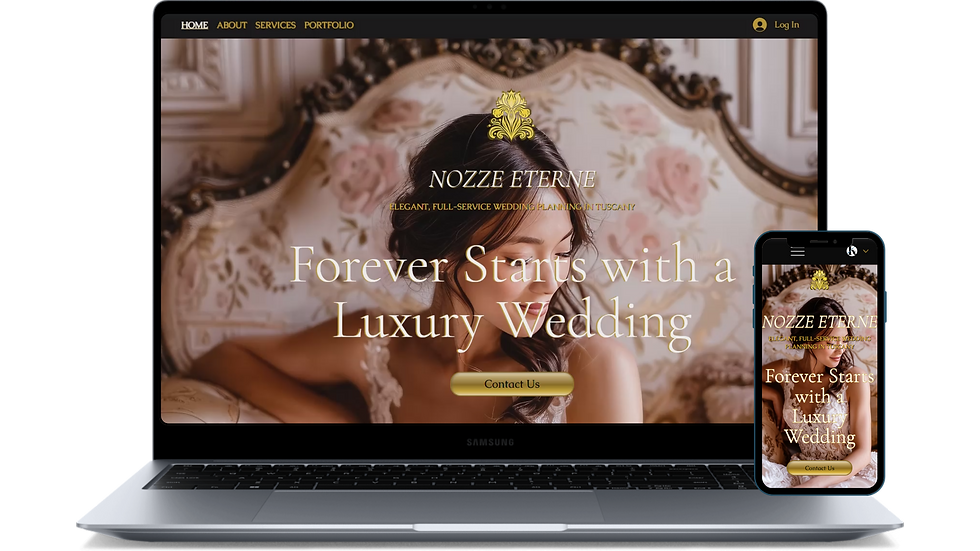
You don’t need complicated calendar integrations. You need a site that supports your real-world process. When your website mirrors the way you naturally book brides, it feels effortless for you and for her.
From inquiry to contract, your site can:
Deliver instant follow-ups
Share branded pricing PDFs
Collect all booking info in one place
Send ready-to-sign contracts
Be fully mobile-friendly for brides browsing on their phones
With the right setup, you can book more brides without the stress — and let your website do the heavy lifting.
💡 Tip: Review your current site and ask: Does this booking flow reflect how I actually work with clients and does my site and forms work on mobile? If not, it's time for an upgrade.