


The Ghost Designer Strikes Again: When Your Containers Won’t Listen
Updated: Jul 16, 2025
Ever feel like you’re not the only one designing your site?
You carefully drag a container where you want it, set your margins and paddings with intention, avoid locking anything unless absolutely necessary… and then — boom — the box latches itself to the bottom of the screen, stretches out like taffy, or overrides your spacing completely.
No, you're not imagining it.
Welcome to the world of the ghost designer—that mysterious force inside Wix Studio that decides it knows better than you.
Today’s Battle: The Case of the Possessed Container
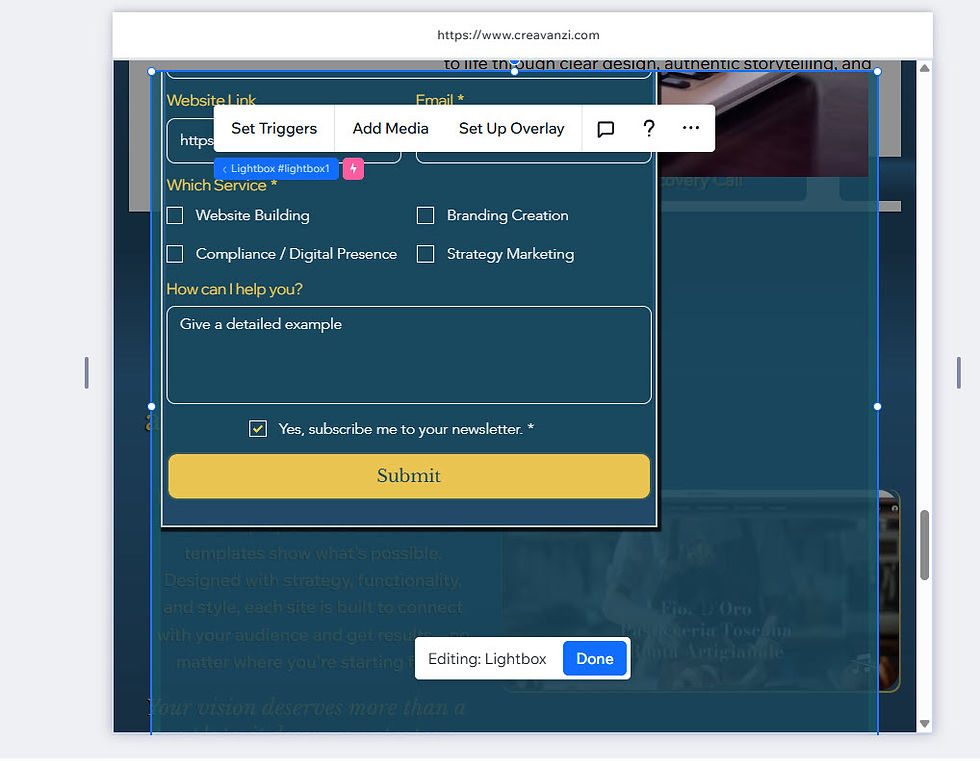
I was working on a form, just trying to position it nicely in a lightbox. Suddenly, it anchored to the bottom and gave itself a height of over 1000px. I hadn’t locked anything to the bottom. I hadn’t even thought about doing that.
I even undocked and placed 0 purposely so I could design where I wanted it using X and Y axes, but Ghost Designer decided differently.
Everything was supposed to scroll nicely with reasonable spacing.
I tried unlocking, realigning, and refreshing. The more I tried to regain control, the more it fought back.
And it’s not just lightboxes. This happens with containers everywhere, especially when trying to make them responsive.
Even when you’re careful, Wix can interpret your dragging or resizing as a command to dock, stretch, or “helpfully” override something. It’s like having a co-designer you didn’t hire.
To start: Just breathe. It takes patience and a bit of detective work to figure out what’s actually going on behind the scenes. These glitches often aren’t your fault, but solving them usually means taking a step back and planning your layout decisions intentionally.

Here are a few things that can help tame the chaos:
Dock manually: then immediately check if something else auto-locked behind your back.
Start from the top down: when building stacked or vertical layouts.
Use fixed sizes sparingly: and instead try setting auto or max-height limits.
Keep an eye on the Layers panel: to make sure containers aren't unexpectedly nested.
Favor padding over margin: for interior spacing, it’s more predictable in scroll scenarios.
Quick final thought about the Ghost Designer
When it feels like there’s someone else in your editor clicking behind your back—it’s just Wix doing its “helpful auto-layout.” But you’re the designer here. Not the ghost. Not the algorithm. You.
The next time your container misbehaves, just remember: You’re not alone, and don’t let the ghost win.


